DBit for Microsoft Teams

Can be used entirely within Microsoft Teams
DBit Password management solutions with less hassle.
Share passwords between Team members safely and securely all within Microsoft
Teams.
Need more password management capability? We got you covered, we now feature a
COMPLETE Password Manager solution built into our App for
Microsoft Teams.
Signup for a Free Trial


Share Passwords & Generate Passwords
A free feature of our DBit password management solution Microsoft Teams app.
Microsoft Teams Integration
Our app integrates directly into Microsoft Teams. Allowing your team members to easily share and store in one location.
Web App Version
Beyond Microsoft Teams, our app works in modern web browsers as well.
End to End Encryption
Vault data is encrypted on the client and when resting on the cloud server data can only be read by the creator, you!
Private Vaults
Team Members of your organization can store their private passwords in their own private vaults within DBit.
Shared Vaults
Shared Vaults allow users to add/remove/edit/view vault items while sharing them based on permissions set. For example, a shared vault could be "Marketing Team" and only the marketing team member users have access to this shared vault.
Vault Items
Create one or many vault items in a private or shared vault. Conveniently access them and use them to do your daily work.
Picture Keypad Recallable Password
This is a special password generator feature that allows you to take a picture keypad, enter in a pin, and get a recallable password. This means you can generate a strong, up to 512-character password every time — as long as you use the same picture and PIN.
Manage Organization
Administrators can manage their organization's details.
Manage Permissions
You can set who can manage permissions and allow them to manage permissions of shared vaults.
Password Generator
Generate random long strong and complex passwords easily.
More Features Coming
Have a feature idea? We'd love to hear it. DBit is continuously evolving based on real team needs.
Submit a Feature Request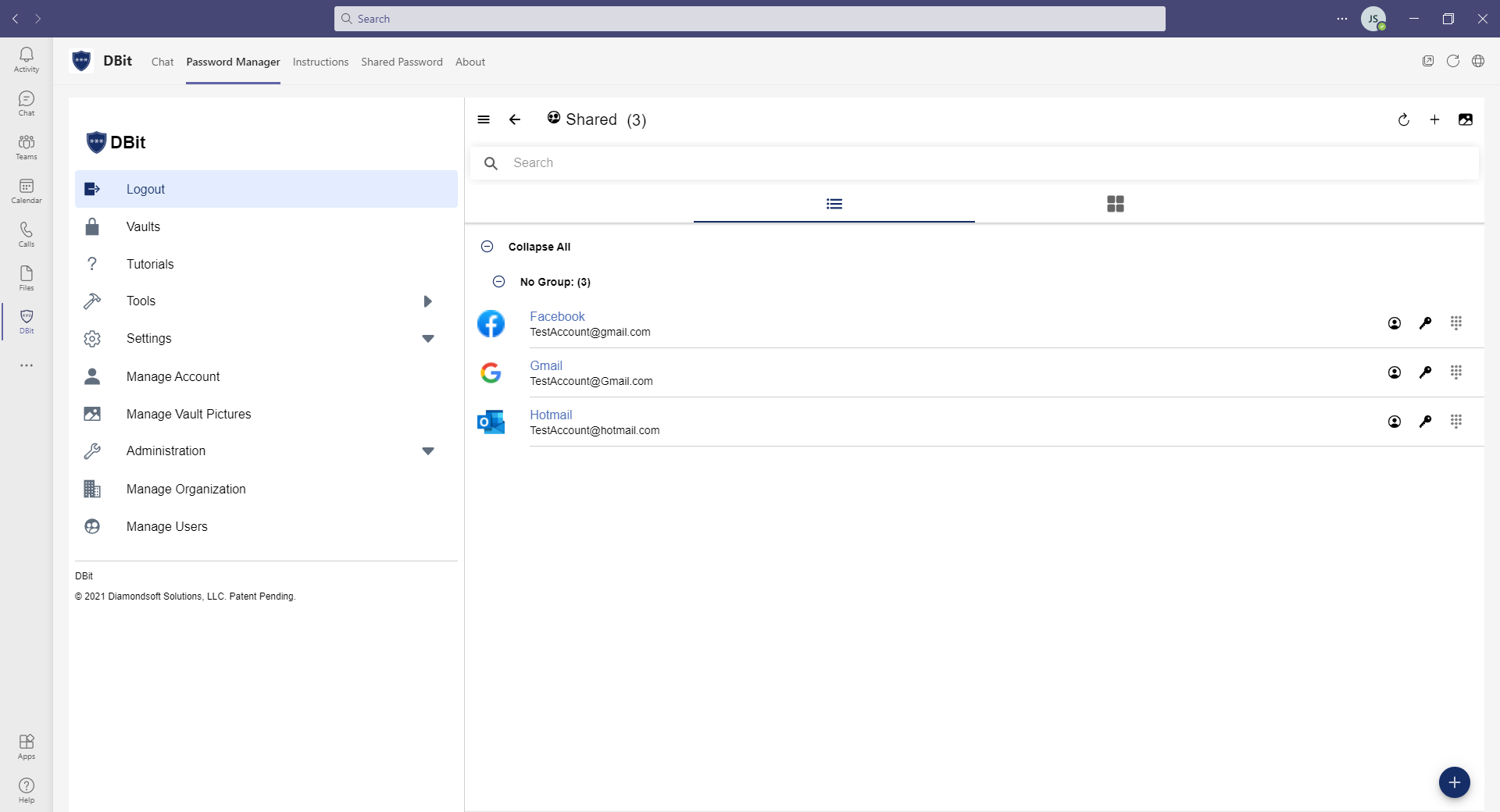
Easy to use interface
Private & Shared Vaults
Store your passwords in private & shared vaults.
Adding Vault Items into a vault
Vault Items
Allow team members to access permission controlled shared vaults items.

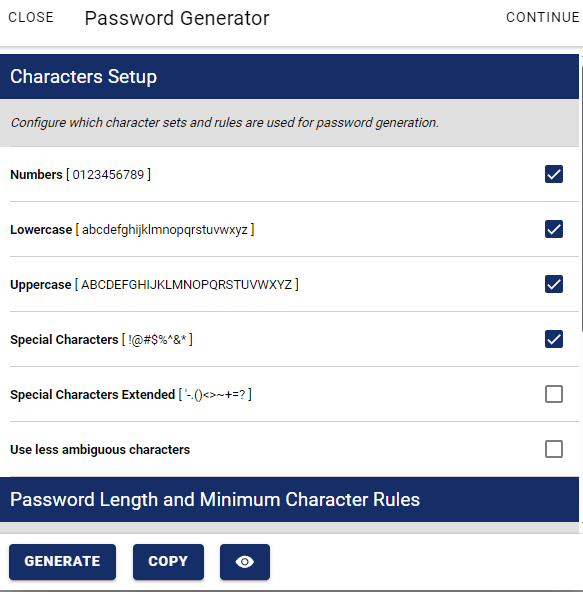
Generate Strong Passwords
Customizable Password Generator
Generate long strong complex passwords
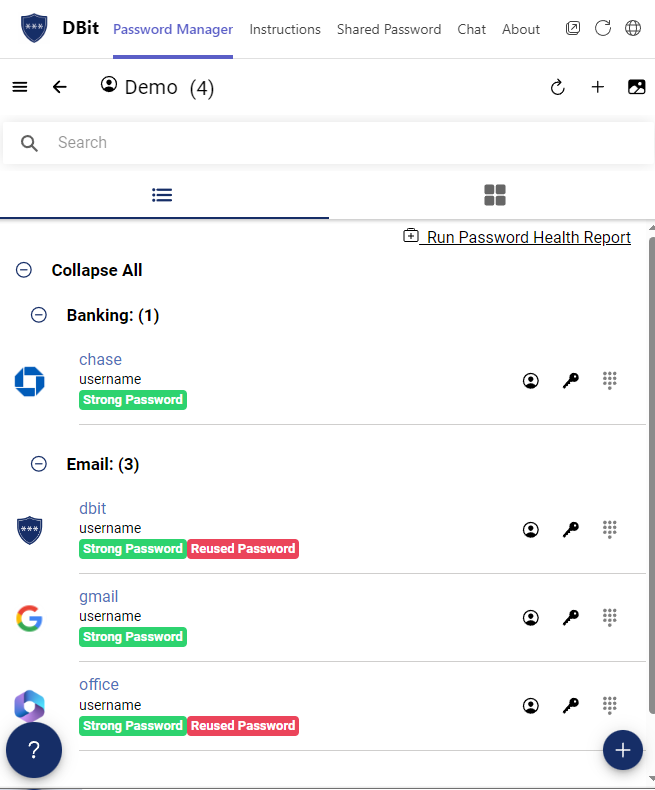
Check the health of your passwords
Password Health Report
Reused? Weak? Strong Password? Run a report and find out quickly.
Click to learn about all our features.
Built for IT Teams Too
Simple for end users. Powerful for administrators.
Admin Console
Administrators manage organization details, user access, and vault permissions from a centralized admin panel.
AppSource Deployment
Deploy DBit to your organization directly through Microsoft AppSource — no custom infrastructure required.
+
Microsoft Teams + DBit Password Solutions Pricing Options
From small company to big time, see our pricing options beneath
Basic DBit Password Solutions for Microsoft Teams
Free
- Password Sharing in Microsoft Teams
- Generate Passwords in Microsoft Teams
DBit Password Manager - Business Subscription
$4.00 USD/mo per user
- All of Basic
- Microsoft Teams Integration
- Web App Version
- Two-factor authentication
- End to end encryption
- Vault Items
- Private Vaults
- Shared Vaults
- Picture Keypad Recallable Password
- Manage Users
- Manage Organization
- Manage Permissions
- Password Generator
- Tutorials
Paid Annually
Try the AppDBit Password Manager - Enterprise Subscription
$6.00 USD/mo per user
- All of Basic & Business
- Microsoft Teams Single Sign On
- Microsoft Azure Active Directory Single Sign On
Paid Annually
Try the AppAll your answers in one place
If your question isn't listed below, please contact us
A Password Management Solution
That's right DBit is a password management solution for you and your team. Share Passwords securely over chat.
Small to Large teams
Have a need to share password? DBit is for you. Have a need to generate a long strong complex password? DBit is for you.
Install from Microsoft AppSource
Search for "DBit" in Microsoft AppSource or visit our AppSource listing and click "Get it now". DBit will appear in your Teams sidebar after installation.
Minimal permissions for maximum security
DBit only requests the permissions necessary to operate within Microsoft Teams. Your data is end-to-end encrypted and never accessible to DBit staff.
Yes — Teams on iOS and Android
DBit is accessible through Microsoft Teams on mobile devices. You can also access your account via the web app at your organization's DBit URL.
Yes — available on Business and Enterprise plans
Administrators on Business and Enterprise plans have access to a full admin console for managing users, groups, shared vault permissions, and organization settings.